728x90
- Server01에서 Server02로 SSH 원격 접속을 하려는 상황
- Server01의 IP : 192.168.0.1
- Server02의 IP : 192.168.0.2로 가정
+ 이런 에러가 발생했다면 아래의 링크로 👇
root@Server01:~# ssh user01@192.168.0.2
ssh_exchange_identification: read: Connection reset by peer
[SSH Error] ssh_exchange_identification: read: Connection reset by peer 해결 방법 (tistory.com)
[SSH Error] ssh_exchange_identification: read: Connection reset by peer 해결 방법
SSH 원격 접속 에러 서버1에서 서버2로 SSH 원격 접속을 하려고 하는데 아래와 같은 에러가 출력되었다. root@Server01:~# ssh user01@ ssh_exchange_identification: read: Connection reset by peer 서버2에서 서버1에 대한
yeit.tistory.com
SSH 원격 접속 에러
SSH 클라이언트가 이전에 연결한 호스트의 신원 (host key 또는 host fingerprint)가 변경되었음을 감지했을 때 발생하는 메시지이다.
root@server01:~# ssh user01@192.168.0.2
@@@@@@@@@@@@@@@@@@@@@@@@@@@@@@@@@@@@@@@@@@@@@@@@@@@@@@@@@@@
@    WARNING: REMOTE HOST IDENTIFICATION HAS CHANGED!     @
@@@@@@@@@@@@@@@@@@@@@@@@@@@@@@@@@@@@@@@@@@@@@@@@@@@@@@@@@@@
IT IS POSSIBLE THAT SOMEONE IS DOING SOMETHING NASTY!
Someone could be eavesdropping on you right now (man-in-the-middle attack)!
It is also possible that a host key has just been changed.
The fingerprint for the ECDSA key sent by the remote host is
SHA256:111111111111111111111111111.
Please contact your system administrator.
Add correct host key in /root/.ssh/known_hosts to get rid of this message.
Offending ECDSA key in /root/.ssh/known_hosts:1
  remove with:
  ssh-keygen -f "/root/.ssh/known_hosts" -R "192.168.0.2"
ECDSA host key for 192.168.0.2 has changed and you have requested strict checking.
Host key verification failed.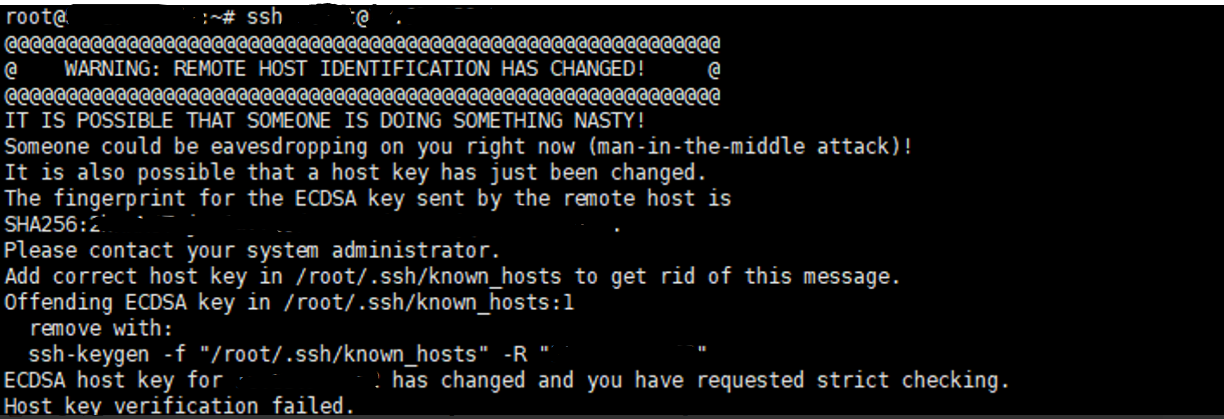
해결 방법
ssh-keygen -R <접속하고 싶은 IP>를 해주어 known_hosts 의 내용을 갱신 해주면 된다.
root@server01:~# ssh-keygen -R 192.168.0.2
# Host 192.168.0.2 found: line 1
/root/.ssh/known_hosts updated.
Original contents retained as /root/.ssh/known_hosts.old
728x90